Quality and inspection
In-process inspection that catches a bad unit at the station
Put the checks and readings on the station tablet, where the work is done. The server checks each reading against its limits, a failure takes a reason from your list, and the unit goes to rework with the failure on its record. Quality sees which step fails, at which station, and why.
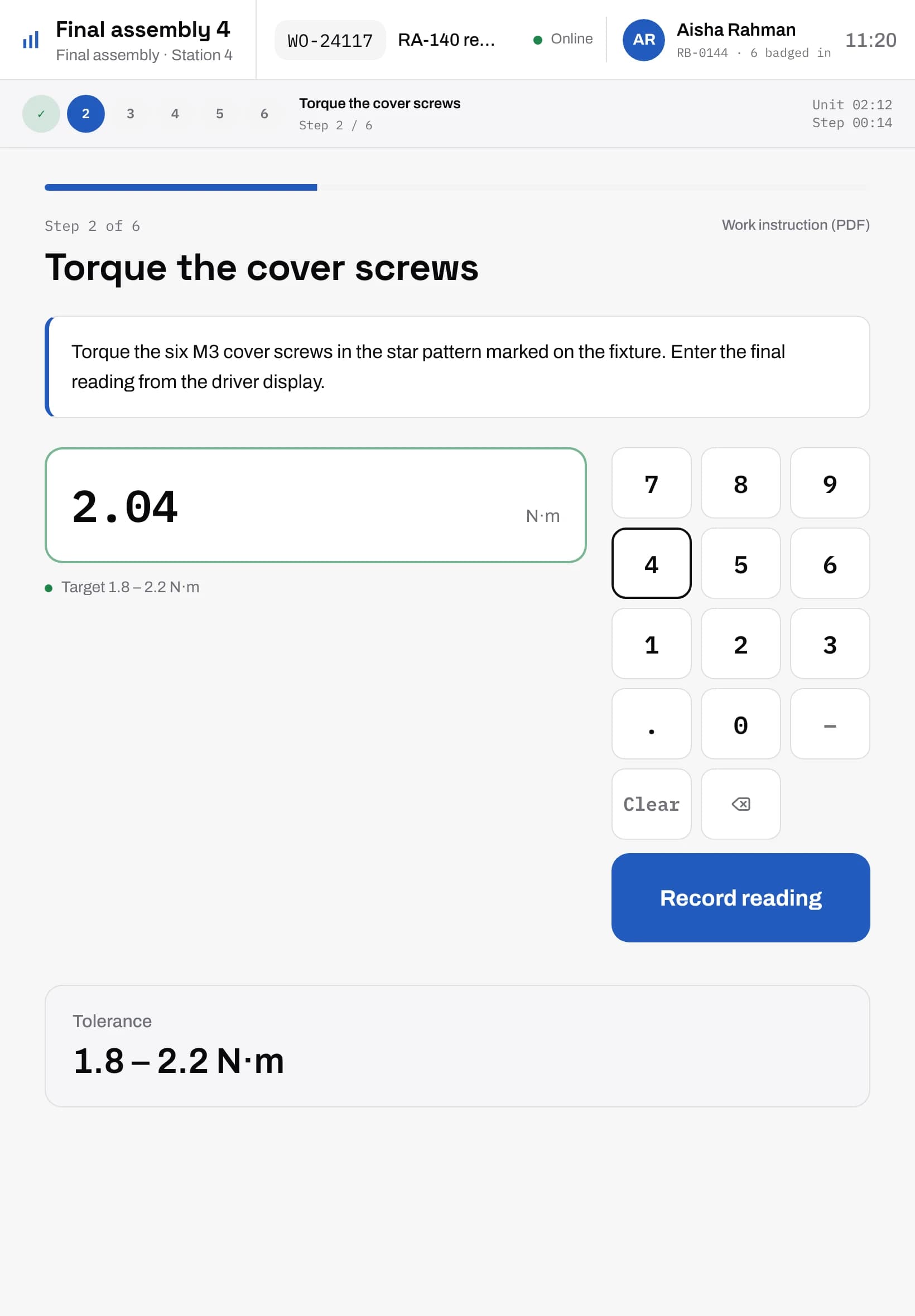
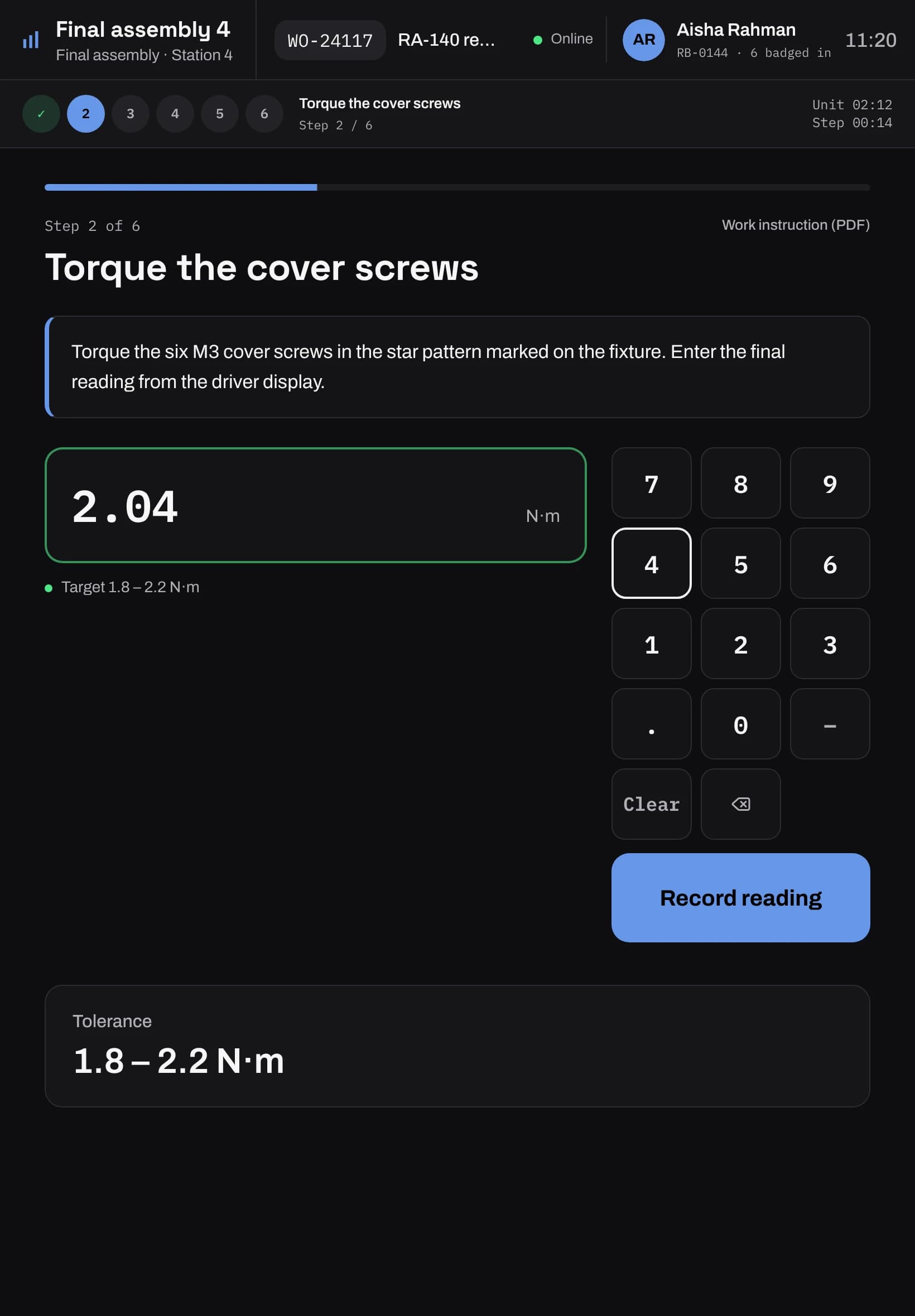
Inspection at the step
A step can ask for a pass or fail, a reading with a minimum and a maximum, a count with a passing range, or a choice from a list. The tablet shows the instruction and the limits. The server checks the answer, so a tablet can't pass a unit that is out of spec.
A reading outside its limits asks the operator to re-measure before it is recorded. A fail asks for a second tap, so a stray touch never fails a unit.
Every failure has a reason
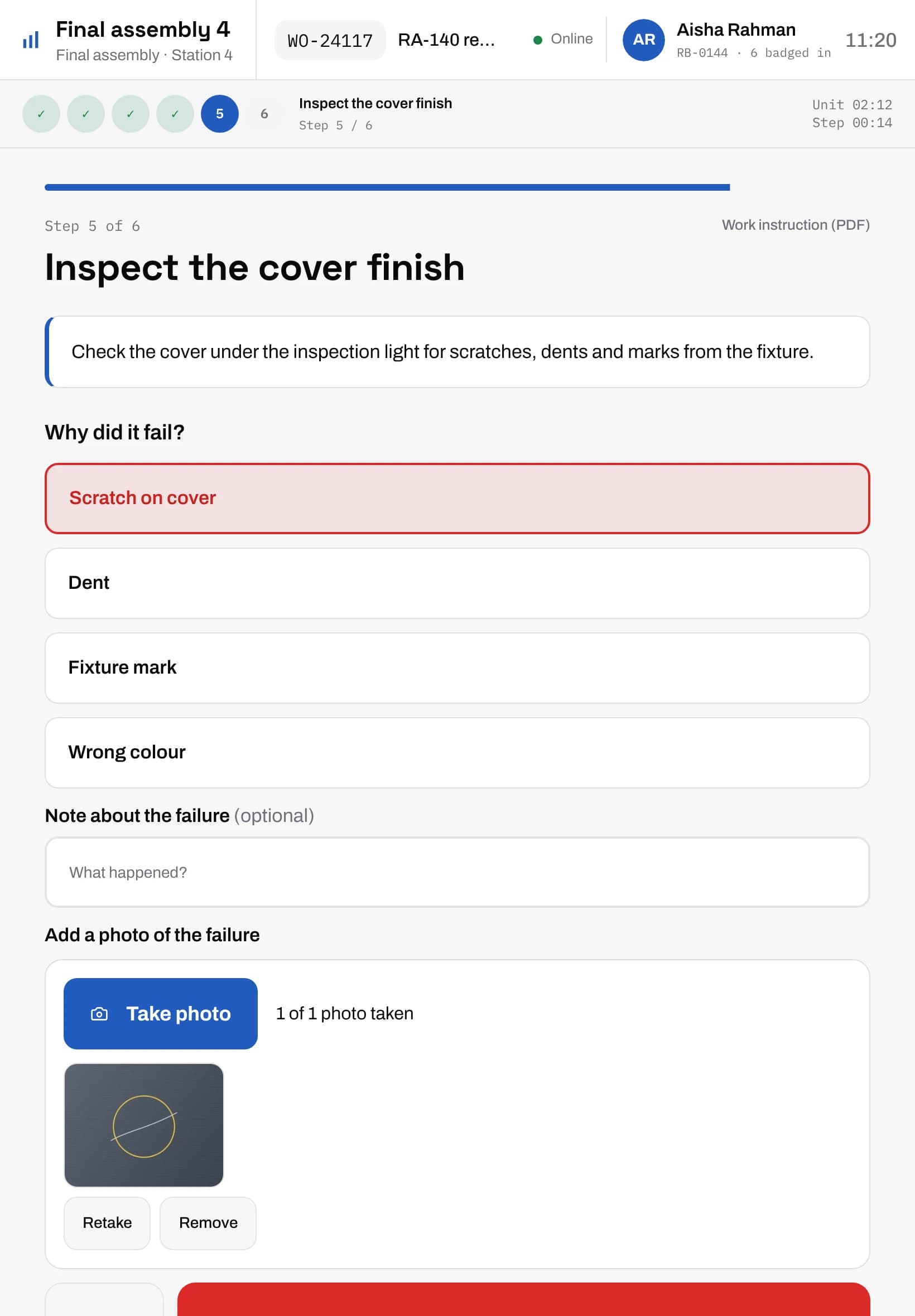
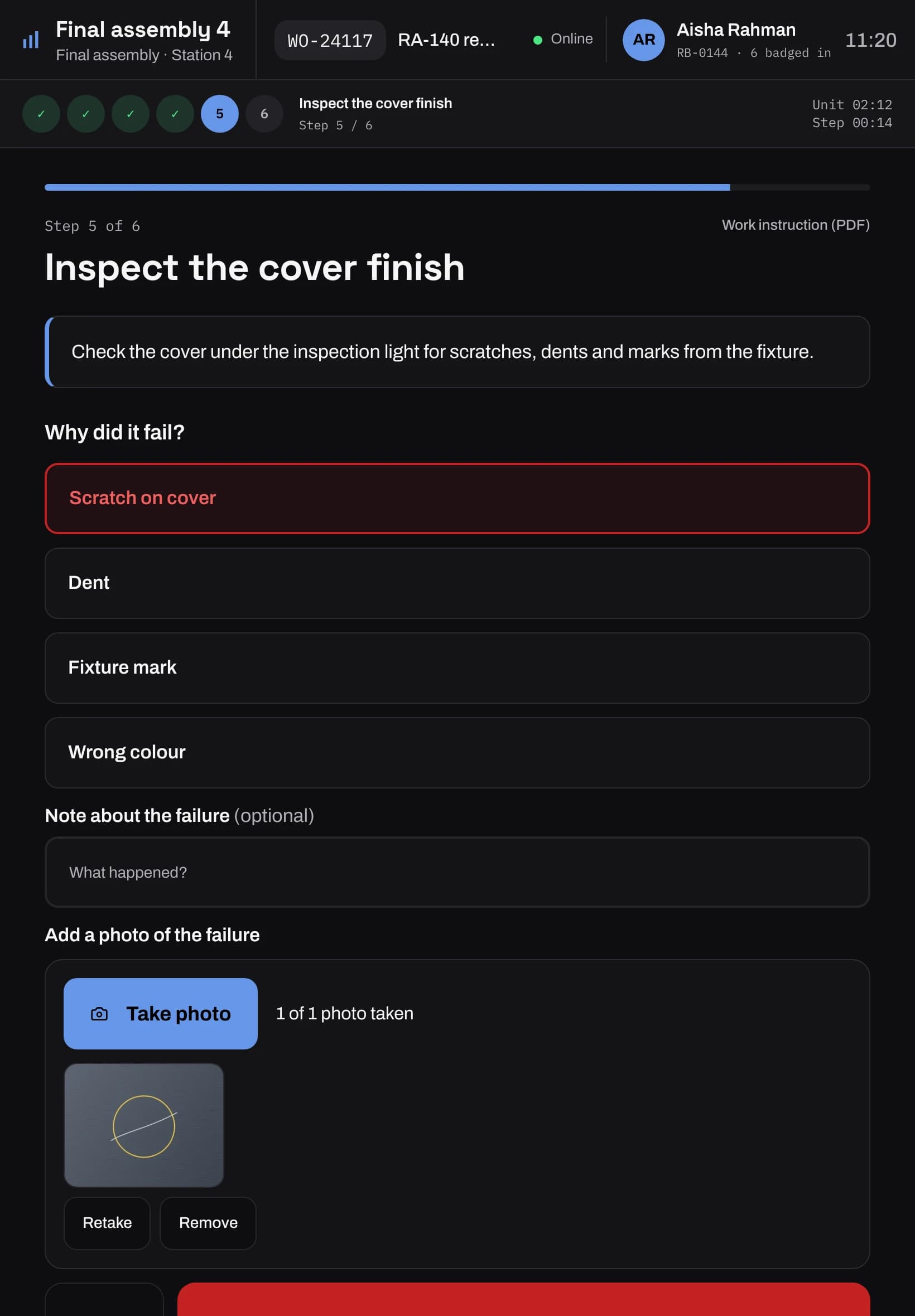
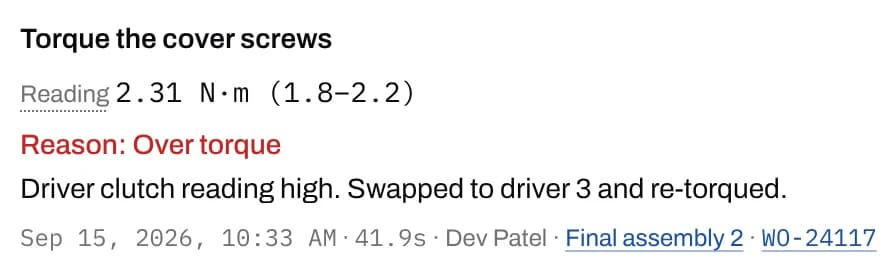
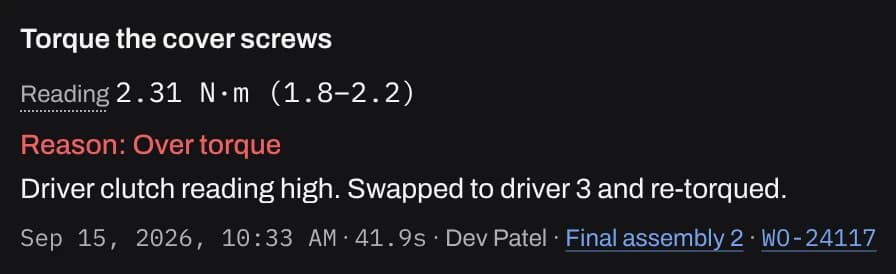
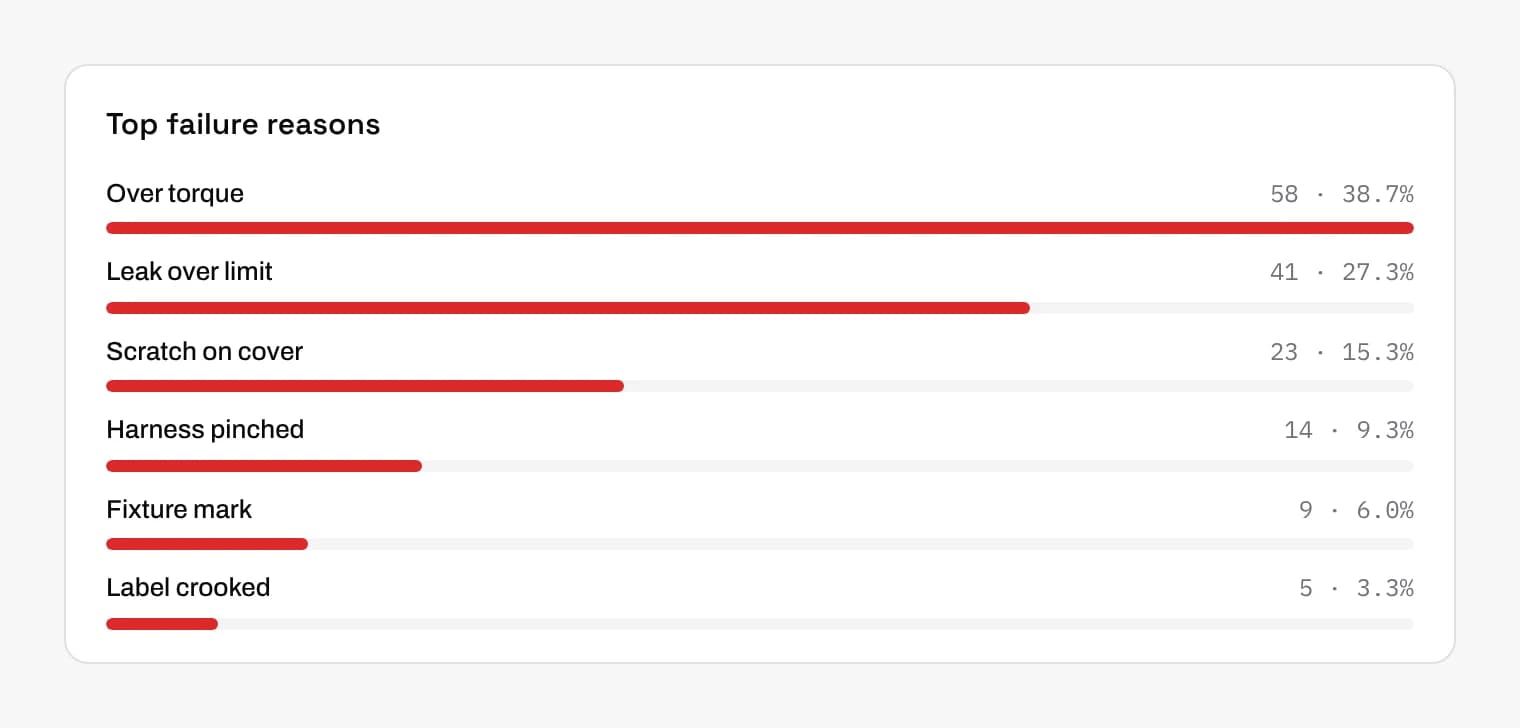
When a step fails, the operator picks a reason from your list, such as over torque or a scratch on the housing. A step can also require a note or a photo of the failure.
The same list holds the reasons for holds, scrap and releases. Rename a reason and its history stays. Retire one and it still shows in old reports. The whole list imports and exports as CSV.
Rework that follows a written repair
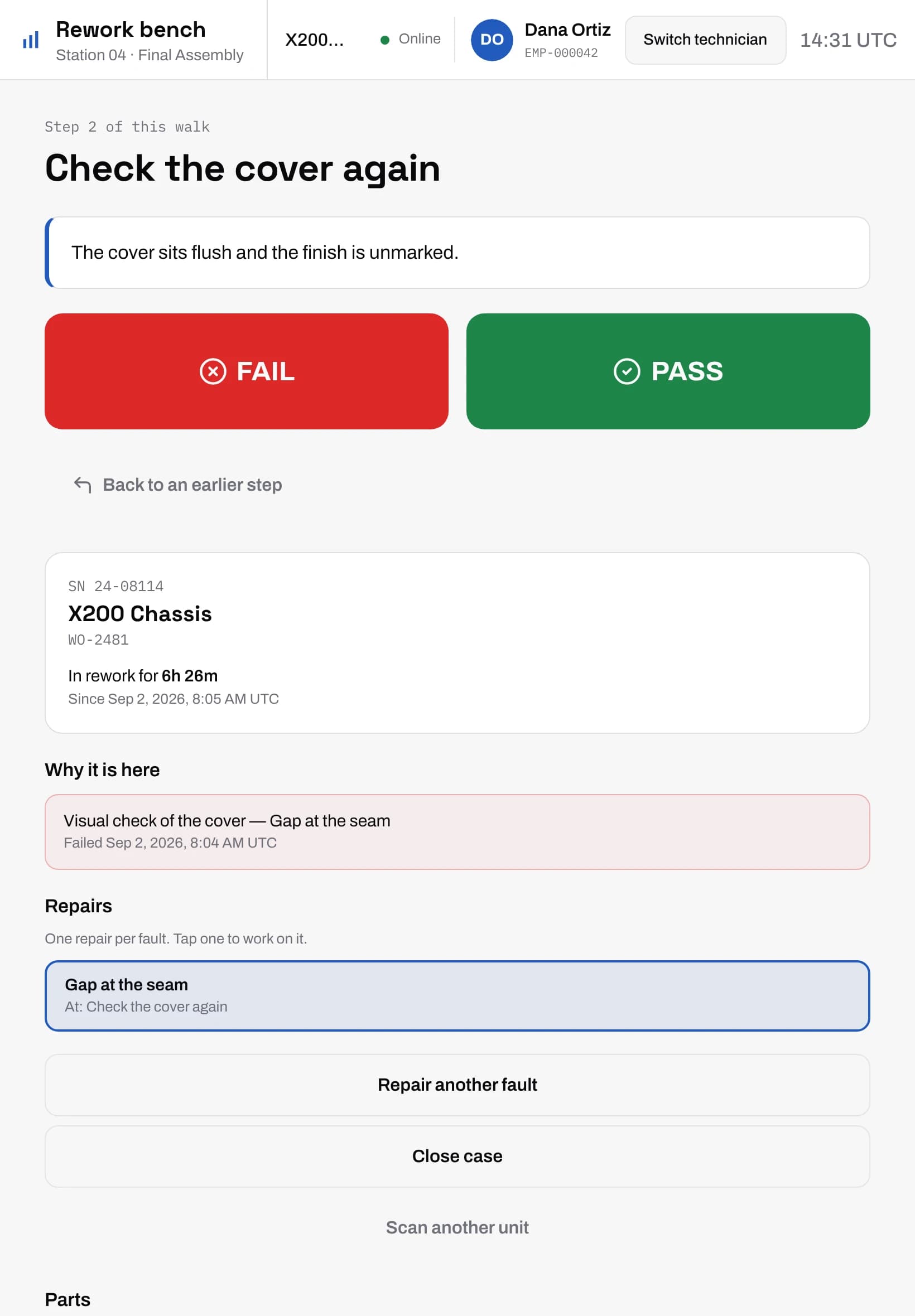
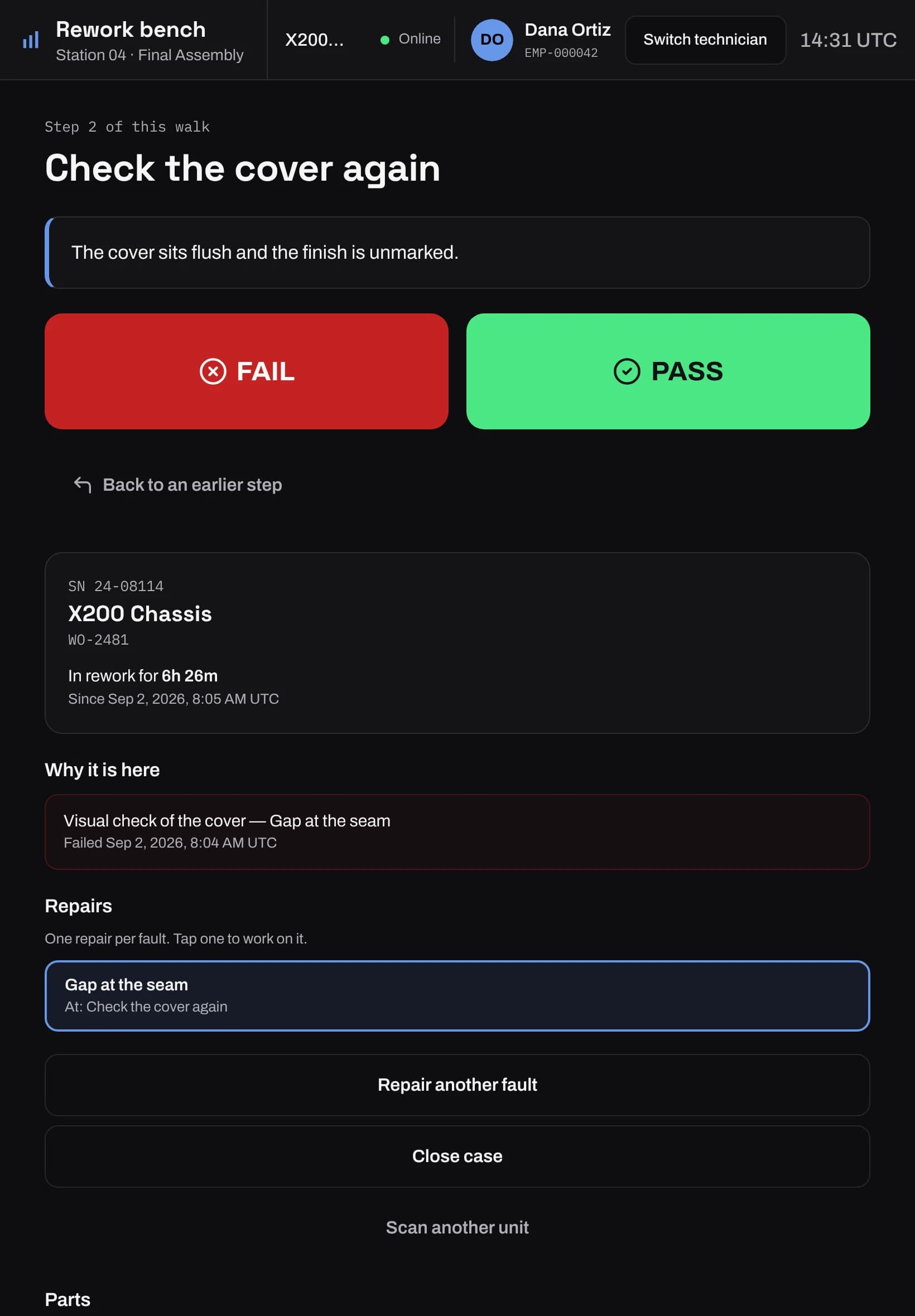
A unit that finishes with a failed step opens a rework case. At the bench, the technician scans the unit and sees why it failed. A rework tree, drawn and published next to your work instructions, starts at the node mapped to that failure reason.
Parts used in the repair are checked against the unit's BOM. A repaired unit goes back to its station, where only the failed steps are run again. You can cap how many times one unit goes around before it can only be scrapped.
Hold, quarantine, release or scrap
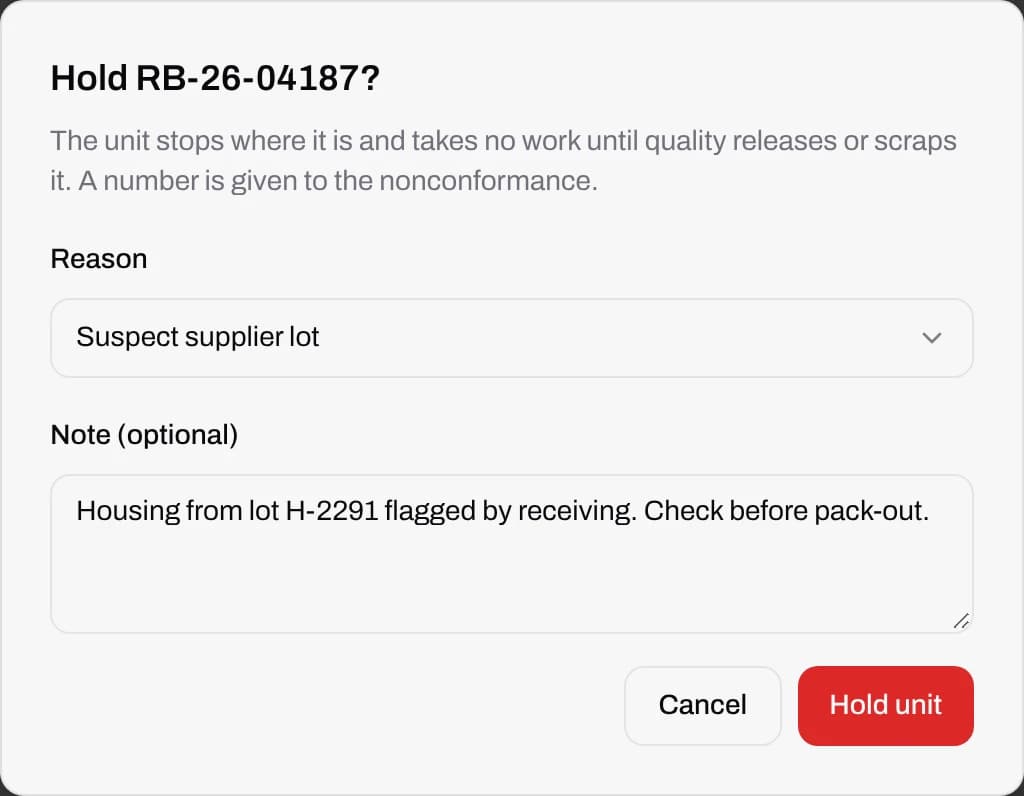
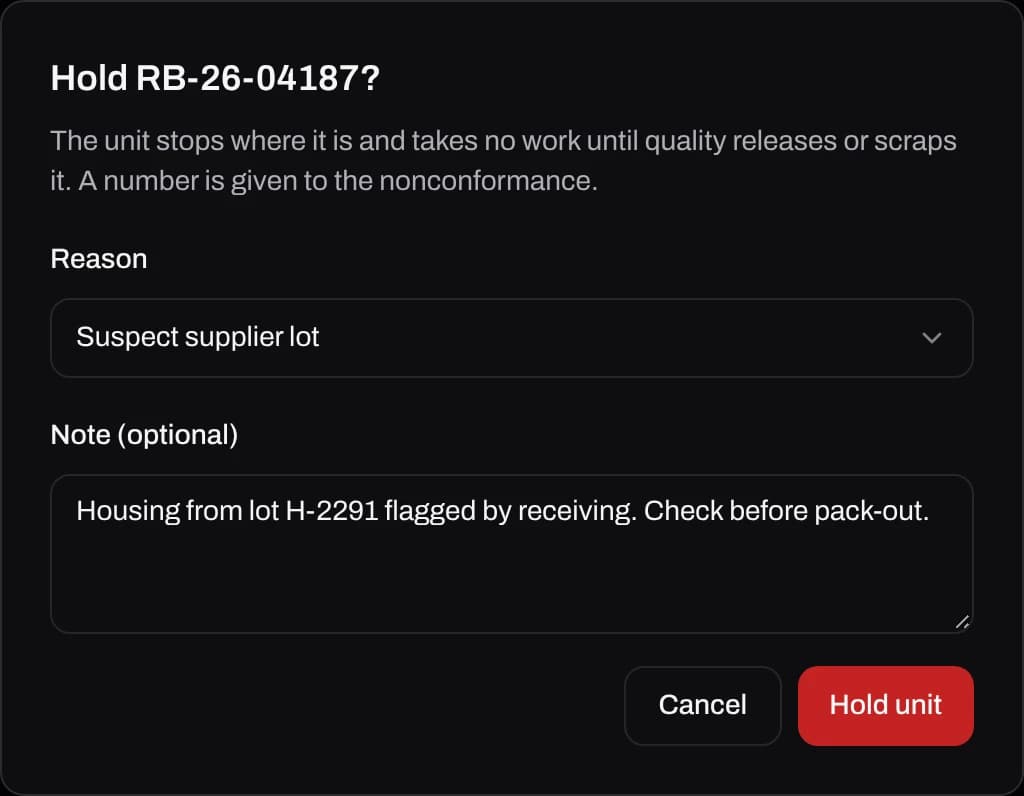
Anyone with permission can hold a suspect unit where it is, or quarantine it to a segregation area, with a reason. The nonconformance gets a number, and the unit takes no more work until quality releases or scraps it.
Release and scrap need their own permission. Each decision records who made it, when and why, and shows on the unit's history and in the audit log.
The full history of every unit
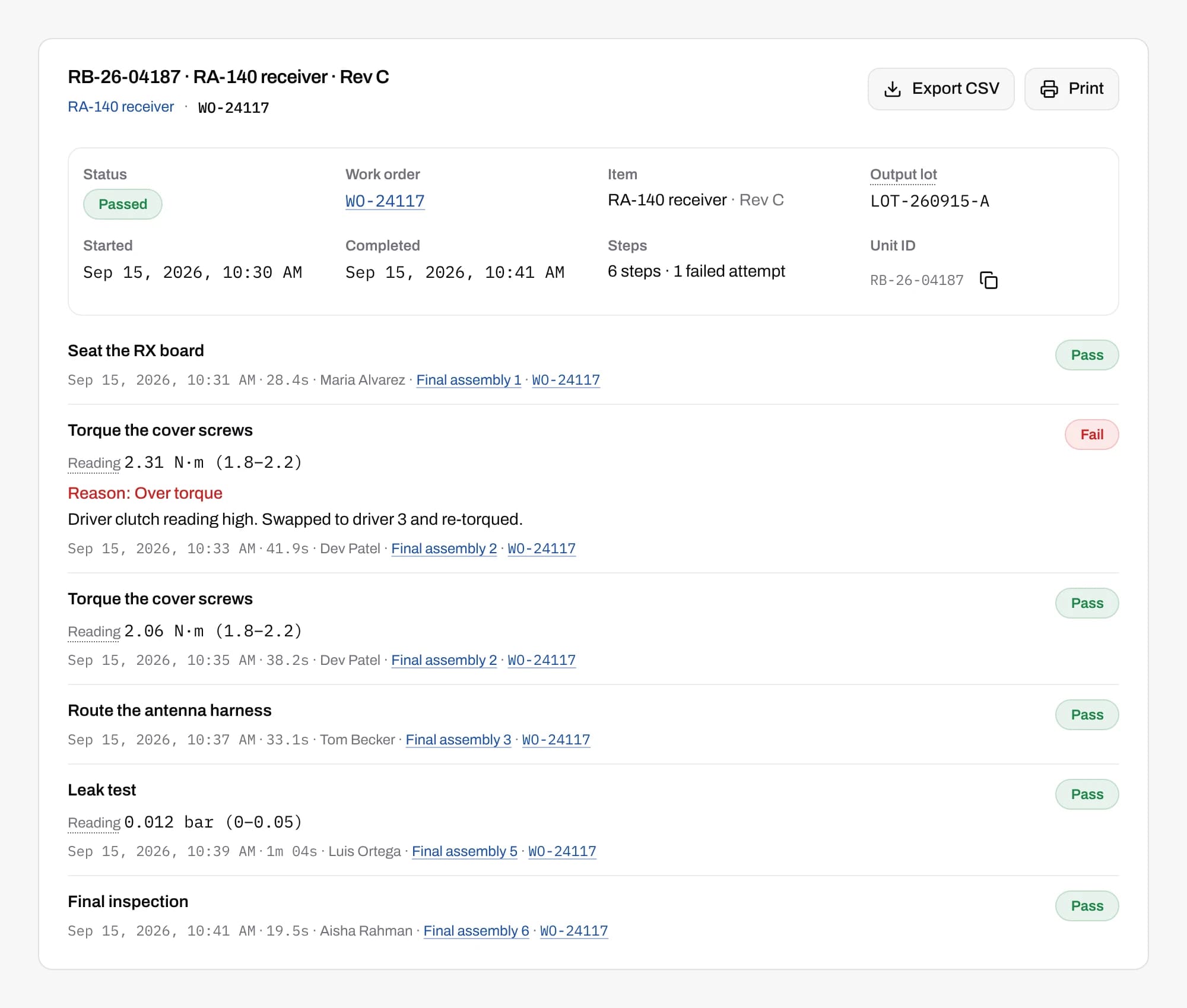
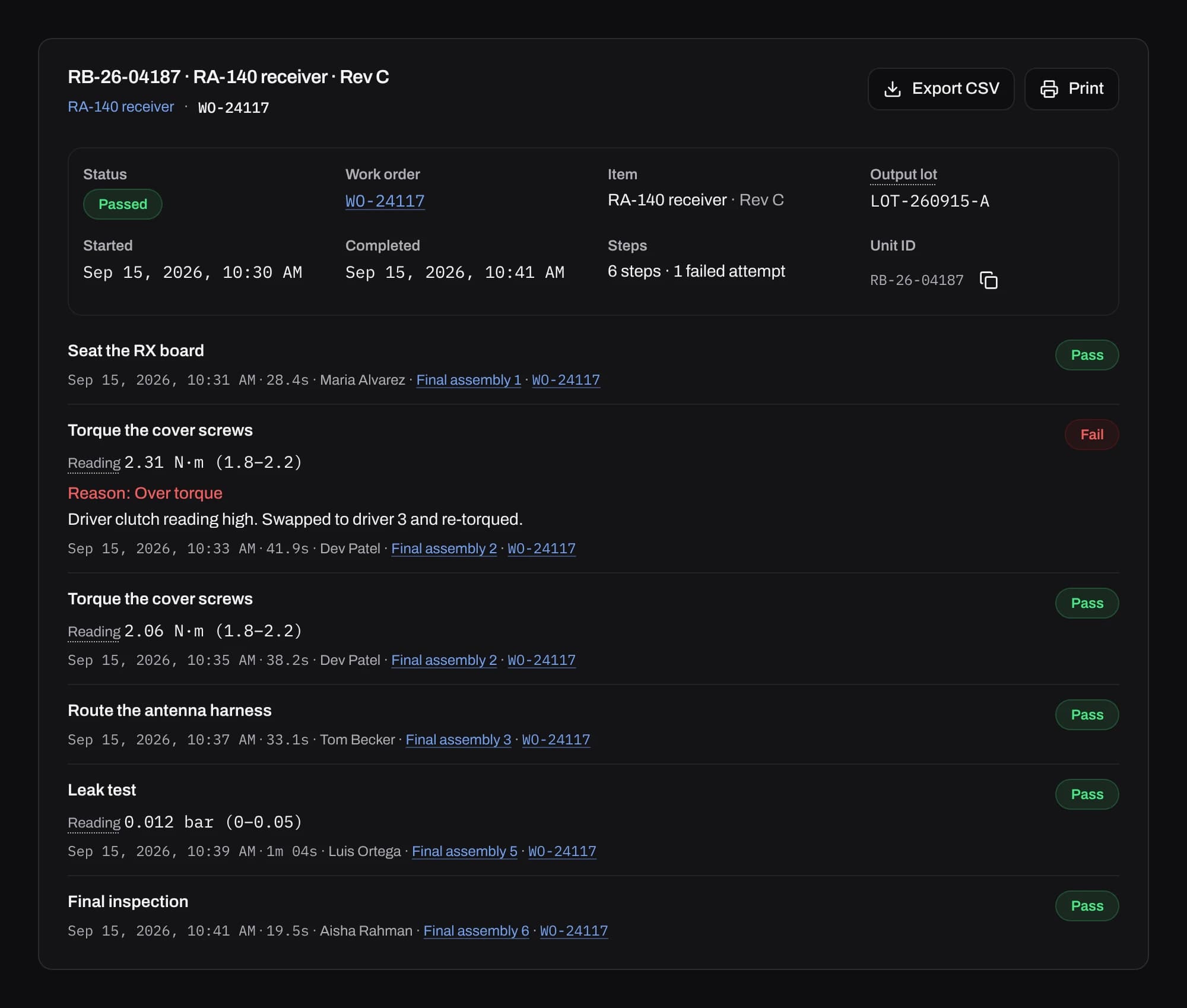
Type a serial or a lot to open a unit's history. Each step shows the answer, the reading and the limit it was checked against, the operator, the station, the time and the version of the work instruction it ran on.
Step photos open full size, and a reviewer can accept or reject each one with a reason. The history exports to CSV for a customer return or an audit.
Where the failures come from
First-pass yield, rolled yield and pass rate by attempt, for any line, station, step, item or model, over a shift or up to 31 days. Top failure reasons lists what operators picked, most common first.
You choose the yield target and the alarm level, and every screen colours yield by them. Price your items and scrap shows as a cost by item, line and reason.
Common questions
Is factoryapps a QMS?
It covers quality on the line: inspection at each step, failure reasons, rework, holds and the history of every unit. It does not run document control, CAPA, supplier quality or audit scheduling, so most manufacturers keep a QMS beside it.
Can an operator pass a reading that is out of limits?
No. The server checks every reading against the step's limits and records the result. Records are never edited, so a wrong entry is corrected by a supervisor and the correction is on the record too.
Does it handle nonconformances?
Yes. Holding or quarantining a unit opens a nonconformance with a number and a reason. Releasing or scrapping the unit closes it, with who decided and why.
Can operators attach photos to a failure?
Yes. A step can ask for photos, and a fail can require one. Photos are kept with the step on the unit's history, where a reviewer can mark them up, accept or reject them.
How is first-pass yield counted?
Two ways, both shown. Step first-pass yield counts steps that passed on the first attempt. Unit first-pass yield counts units that finished with no failed step, so a reworked unit is never a first-pass success.
Start with one line.
Get in touch and we'll set up your first line with you.